


7 Signs of a Phishing Email Disguised as a Retail Deal
Quick Summary
A phishing email disguised as a retail deal copies a store's logo and layout, then pushes you to act fast. Warning signs include a mismatched sender address, urgent threats about expiring offers, and requests for passwords, card details or attachments. Check the sender domain and visit the store's official site directly before clicking.
- Check the full sender address, not just the display name or logo.
- Hover over links to see the real destination before clicking.
- Real retailers rarely ask for passwords or card details by email.
- Log in through the store's official site or app to verify any offer.
- Mark suspicious messages as spam instead of using unsubscribe links.
Table of Contents
- Why Retail Deal Emails Make Easy Phishing Bait
- Suspicious Sender Addresses and Brand Impersonation
- Urgent and Threatening Language in Promotional Offers
- Phishing Email Examples: Fake Flash Sales, Loyalty Rewards and Billing Notices
- Unexpected Links, Attachments and Requests for Payment or Passwords
- How to Prevent Phishing Emails When Hunting for Deals
- What to Do After Clicking a Phishing Link
- Shop Today's Drop Without Second-Guessing Your Inbox
- Frequently Asked Questions
Why Retail Deal Emails Make Easy Phishing Bait
Deal emails are a favourite target for scammers. Shoppers expect frequent promotions, and that expectation makes a fake one easy to believe. Shoppers should know how to tell a real deal from a fake one.
Scammers copy the look of real retail mail. They use logos, colours and layouts that feel familiar. They also count on speed. A flash sale feels like it must be acted on now, and that rush is when people stop checking.
Keep these points in mind:
- Real retailers rarely ask for passwords or card details by email
- Fake offers often promise deep discounts on popular items
- Scam emails push you to act before you can think
- Familiar branding does not prove the email is real
Knowing the common warning signs helps you pause and check before you click.
Suspicious Sender Addresses and Brand Impersonation
The sender address is one of the fastest ways to spot a fake. Scammers often use a name that looks right at a glance but is slightly off.
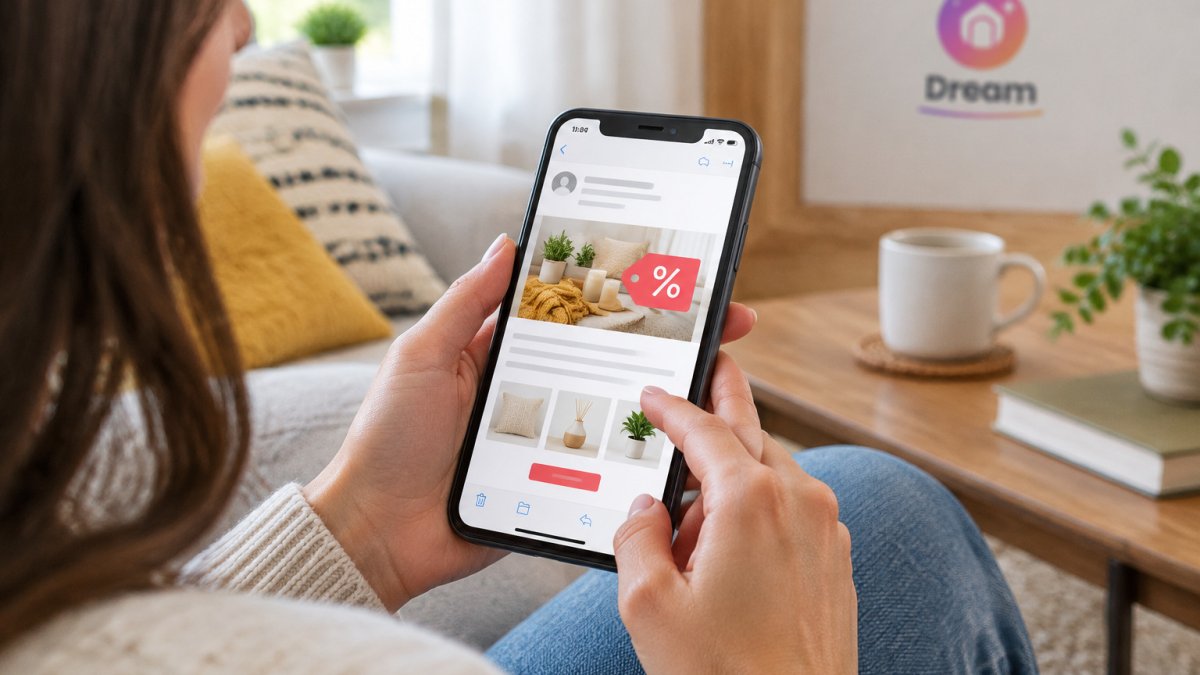
Check the full address, not just the display name. Our guide to filtering daily deal emails shows how to tell real retailer mail from junk. Look for:
- Extra words or numbers added to a brand name
- Misspelled domains, such as swapping letters or using a different ending
- Free email accounts used to send "official" offers
- A sender name that does not match the domain
Watch out: A real-looking logo can be copied in seconds. Always check the address behind the name before you trust the message.
When in doubt, do not reply or click. Open a new browser window and go to the store's website directly to check the offer.
Urgent and Threatening Language in Promotional Offers
Pressure is a common tool in phishing emails. The message tries to rush you so you do not think clearly.
Watch for phrases such as:
- "Your offer expires in the next hour"
- "Final warning: your account will be closed"
- "Only three items left, act now"
- "Unusual activity detected on your loyalty account"
Real sales do sometimes end soon, but a genuine retailer does not threaten your account to get a click. If an email scares you, slow down. You can shop flash sales safely without rushing using a few simple steps. Check the claim through the store's official app or website.
Phishing Email Examples: Fake Flash Sales, Loyalty Rewards and Billing Notices
Phishing emails often follow a few familiar patterns. The examples below are written for retail shoppers, because the contexts attackers imitate are specific to how stores run promotions and manage accounts.
Fake flash sale. A message promises a deep discount on a trending product and includes a countdown timer or a "claim before it's gone" button. The button leads to a login page that copies the retailer's branding. The tell is usually the sender domain and the destination URL, not the design. Hover over the button before clicking. If the link goes to a domain that is not the retailer's known address, close the message.
Loyalty reward notice. An email says you have points expiring or a reward to claim, but first you must confirm your account details or re-enter your password. Legitimate loyalty programs usually let you check points by logging in through the store's own site or app. They do not ask you to confirm credentials through an email link.
Billing or order update. A message warns of a failed payment, an unpaid order, or a delivery problem and asks you to update your card information. Real retailers do send order and billing notices, so this type is harder to spot. Check the sender address, then open the store's official site or app and look at your order history. If the order does not appear there, the email is likely fake.
Fake unsubscribe or preference center. A message offers a link to manage email preferences or unsubscribe. Clicking can confirm your address is live or lead to a page that harvests login details. Use your email client's spam button instead of the link.
Seasonal campaign imitation. Around major sales periods, attackers copy the look of holiday or back-to-school campaigns. The timing makes the message feel expected. Verify the campaign on the retailer's public site before acting. To learn how to spot fake online discounts more broadly, see our guide.
Watch out: A real-looking logo, colour scheme, and layout can be copied in seconds. Branding is not proof. The sender domain, the link destination, and whether the offer appears in your account are the checks that matter.
A legitimate store will let you check your account through its own website without needing a link in an email. If you want to shop a deal you saw in a message, go to the store directly and look for the same offer there.
The table below summarises the common phishing patterns covered in this section and the check that exposes each one.
| Pattern | Key warning sign | Check to do |
|---|---|---|
| Fake flash sale | Countdown timer and "claim before it's gone" button | Hover over the button and check the destination domain |
| Loyalty reward notice | Asks you to confirm credentials through an email link | Log in through the store's own site or app |
| Billing or order update | Asks you to update card information | Check order history on the official site or app |
| Fake unsubscribe link | Footer link that may confirm your address or harvest logins | Mark the message as spam instead of clicking |
| Seasonal campaign imitation | Copies the look of holiday or back-to-school sales | Verify the campaign on the retailer's public site |
Unexpected Links, Attachments and Requests for Payment or Passwords
Some of the clearest warning signs are the requests themselves. Be cautious if an email asks you to:
- Click a link you did not expect
- Open an attachment for a deal or receipt you do not recognise
- Enter a password, PIN or card number
- Send payment through an unusual method
Hover over links to see the real address before you click. If the destination does not match the store you know, do not continue. Unexpected attachments can also carry malware, so avoid opening them unless you are sure of the sender.
How to Prevent Phishing Emails When Hunting for Deals
Prevention starts with habits that keep you out of the scammer's path. The tips below are standard, but the retail context matters: deal hunters receive more promotional mail than almost any other shopper, so the volume itself is a risk factor.
- Go to stores directly instead of using links in emails. Type the retailer's known address or use a saved bookmark.
- Turn on two-factor authentication for every shopping account that offers it, especially loyalty and payment-linked accounts.
- Use a unique password for each shopping site so one breach cannot unlock the rest.
- Set up email filters to catch messages with mismatched sender domains or common phishing phrases.
- Report and delete emails that look wrong rather than just ignoring them.
Many email apps let you mark messages as spam or phishing. You can also set up email filters for promo deals so suspicious messages are caught automatically. Doing this helps protect you and others from the same scam. Setting up filters can also keep many fake offers out of your main inbox.
Check the authentication trail. Most major email providers show authentication results in the message headers. Look for SPF, DKIM, and DMARC results. SPF checks whether the sending server is authorized for the domain. DKIM verifies a cryptographic signature on the message. DMARC tells the receiver what to do when SPF or DKIM fails. A legitimate retail campaign usually passes all three. A message that fails SPF or DKIM, or shows a DMARC fail, is a strong warning sign even if the logo looks perfect.
Verify through a second channel. If an offer seems plausible but you are unsure, do not reply to the email. Open the retailer's official app or type the store address into a new browser window. Log in there and check your account, order history, or loyalty points. A real promotion will appear in your account or on the public site. A fake one will not.
Watch out: A common pattern is a fake unsubscribe link. Scammers know shoppers want to stop marketing mail, so they send a realistic-looking footer with an unsubscribe button. Clicking it can confirm your address is active or lead to a credential-harvesting page. Instead of using the link, mark the message as spam in your email client.
New customers get 10% off their first order, so you can shop our curated drops directly on our website.
What to Do After Clicking a Phishing Link
If you clicked a suspicious link, act quickly. Start with these steps:
- Do not enter any information if the page asks for it. Close it right away.
- Change your password for the account involved, and any other site where you use the same password.
- Turn on two-factor authentication if you have not already.
- Check your bank and card statements for charges you do not recognise.
- Contact your bank or card provider if you shared payment details.
- Report the email to your email provider and, where available, to the impersonated store.
Acting fast limits the damage. Even if you feel embarrassed, reporting the scam helps protect other shoppers too.
Shop Today's Drop Without Second-Guessing Your Inbox
A good deal should never make you feel uneasy. At Dream Deal Shop, we hand-pick a fresh drop of home, wellness and lifestyle products. When something sells out, it is gone for good, so shop our latest collection directly on our website.
New customers get 10% off their first order. Browse our Home Essentials and Candles & Aroma collections at dreamdealshop.com, and go straight to the source whenever you want to check a deal.
Shop today's drop now and enjoy your favourites with confidence.
Frequently Asked Questions
What are the warning signs of a phishing email about a retail deal?
Watch for a generic greeting instead of your name, a sense of urgency such as 'offer ends in one hour,' and a request to confirm payment or log in through a link. Retail phishing often copies the look of real promotions, so the design alone proves nothing. Check whether the offer appears when you go directly to the retailer's website. If it only exists in the email, treat it as suspicious and do not click through.
How can I tell if a promotional email from a retailer is legitimate?
Start with the sender address. Brand impersonation usually uses a lookalike domain with an extra word, a swapped letter or an unusual extension. Next, compare the offer with the retailer's site by typing its address yourself rather than following a link. Legitimate promotions are also visible in your account or on the homepage. If you cannot confirm the deal independently, do not enter any personal or payment details.
What should I check in a suspicious email address?
Look at the full sender address, not just the display name, which anyone can set. Check that the domain matches the retailer exactly and that there are no extra characters, misspellings or unfamiliar endings. Be cautious when the address uses a free webmail account for a large brand. Hovering over links shows where they really lead, and a mismatch between the visible text and the destination is a clear red flag.
Can a phishing email look like a real sale or discount offer?
Yes. Phishing emails often copy real sale formats, including logos, product images and discount codes, because that makes them convincing. The scam usually appears in the call to action: a button that asks you to verify your account, confirm card details or claim a reward that requires a login. A genuine discount does not require you to hand over sensitive information before you can shop. When in doubt, skip the email and visit the store directly.
