

Tips for Buying Discounted Gadgets: 2026 Guide
Table of Contents
- What You'll Need Before You Buy Discounted Gadgets
- Best Time to Buy Electronics: Seasonal Sales and Price Drops
- Refurbished vs New Gadgets: What's Actually Worth It
- How to Spot Fake Tech Deals Before You Pay
- Technical Inspection Checklist for Discounted Gadgets
- Hidden Costs That Kill Your Discount
- Common Mistakes to Avoid When Buying Discounted Gadgets
- Frequently Asked Questions
Last Updated: September 30, 2026
What You'll Need Before You Buy Discounted Gadgets
Buying discounted gadgets rewards preparation more than luck. Before you chase a flash sale or a clearance drop, set up a simple system: a budget cap, a shortlist of what you actually need, and a way to check whether a price is genuinely low. At Dream Deal Shop, we see the difference every day between shoppers who plan and shoppers who panic-buy.
Here's what to have ready before you spend:
- A budget cap per item, written down, so a "deal" can't talk you past it
- A needs list (charger, headphones, kettle) separate from your wants list
- A price-check habit: know the typical selling price before the sale starts
- A seller checklist: return policy, warranty terms, and contact details
- A payment method with buyer protection, never a direct bank transfer
Most disappointing purchases trace back to skipping one of these steps. The discount is only real if the product fits a need and the seller stands behind it.
Best Time to Buy Electronics: Seasonal Sales and Price Drops
The best time to buy electronics is during major seasonal sales and at the end of a product's lifecycle, when retailers clear stock to make room for new models. Timing your purchase around these windows often beats any coupon code.
Seasonal promotions cluster around a few predictable moments. In most markets, the deepest electronics discounts land during back-to-school season (late July through early September), Black Friday and Cyber Monday, and end-of-year clearance in late December and January. End-of-season clearance also hits when a manufacturer announces a successor model, because older stock gets discounted fast, a phone or laptop that was flagship last year often drops sharply the week its replacement is unveiled.
A less obvious window is the end of a retailer's fiscal quarter. Sales teams chasing targets sometimes release quiet discounts in the final two weeks of a quarter, and these rarely get the marketing push of a holiday event.
Price Tracking Tools and Deal Alerts
Price tracking tools record an item's price history so you can see whether today's "discount" is real. Deal alerts notify you when the price drops below a threshold you set. Most major retailers and several independent trackers let you paste a product URL and watch the price over weeks or months.
A common mistake is trusting the crossed-out "original price" on a listing. That number is sometimes inflated to make the discount look bigger. Checking price history from an independent source, such as a consumer advice body like ACCC guidance on misleading pricing, shows what the item actually sold for in recent weeks.
Set alerts for your shortlist, wait for a genuine dip, and buy then. Patience usually saves more than urgency.
Refurbished vs New Gadgets: What's Actually Worth It
Refurbished gadgets are previously owned or returned devices that a seller has tested, repaired if needed, and resold at a lower price. New gadgets are unused and come sealed in original packaging. For many everyday items, refurbished offers better value for money because the discount is real and the device still works.
The trade-off is condition and warranty. A refurbished item may show minor cosmetic wear, and coverage depends entirely on the seller. New items carry a full manufacturer warranty but cost more.
Most sellers grade refurbished stock on a simple scale. "Grade A" or "like new" usually means no visible scratches and a battery that holds a strong charge. "Grade B" or "good" allows light scuffs or minor screen marks. "Grade C" or "fair" can include dents or noticeable wear. The grade matters more than the label, a "certified" device with a worn battery is still a worn battery.
| Factor | Refurbished | New |
|---|---|---|
| Price | Lower | Higher |
| Condition | Tested, may show wear | Unused, sealed |
| Warranty | Seller-dependent | Full manufacturer |
| Best for | Budget buyers, spares | Long-term primary devices |
Certified Pre-Owned and Warranty Coverage
Certified pre-owned means the seller has inspected the device against a set standard and backs it with a warranty. That certification is what separates a safe refurbished purchase from a gamble.
Before buying, confirm three things in writing: what the warranty covers, how long it lasts, and who pays return shipping.
The Lifecycle Math Most Buyers Skip
A refurbished device is only a bargain if it still has useful life left. Check the manufacturer's support window: if security updates end in a year, you are buying a short-lived device regardless of the discount. For phones, tablets, and laptops, the remaining support period often matters more than the cosmetic grade.
How to Spot Fake Tech Deals Before You Pay
Fake tech deals are listings that mimic real discounts but hide a catch: a counterfeit product, a bait-and-switch price, or a seller who disappears after payment. Spotting them comes down to checking the seller, the price, and the payment method.
Red flags to watch for:
- A price far below every other listing for the same model
- A brand-new seller account with no feedback history
- Pressure tactics like "only 2 left, 3 minutes remaining"
- Payment requested by bank transfer, gift card, or crypto
- No physical address or contact details on the site
Scam Detection Indicators and Secure Payment
Secure payment means using a method with built-in buyer protection, such as a credit card or an established payment platform. These give you a route to dispute a charge if the item never arrives or isn't as described.
Technical Inspection Checklist for Discounted Gadgets
A technical inspection protects you from buying a discounted gadget with a hidden fault. Run through this checklist before you pay, or immediately on delivery if you bought online.
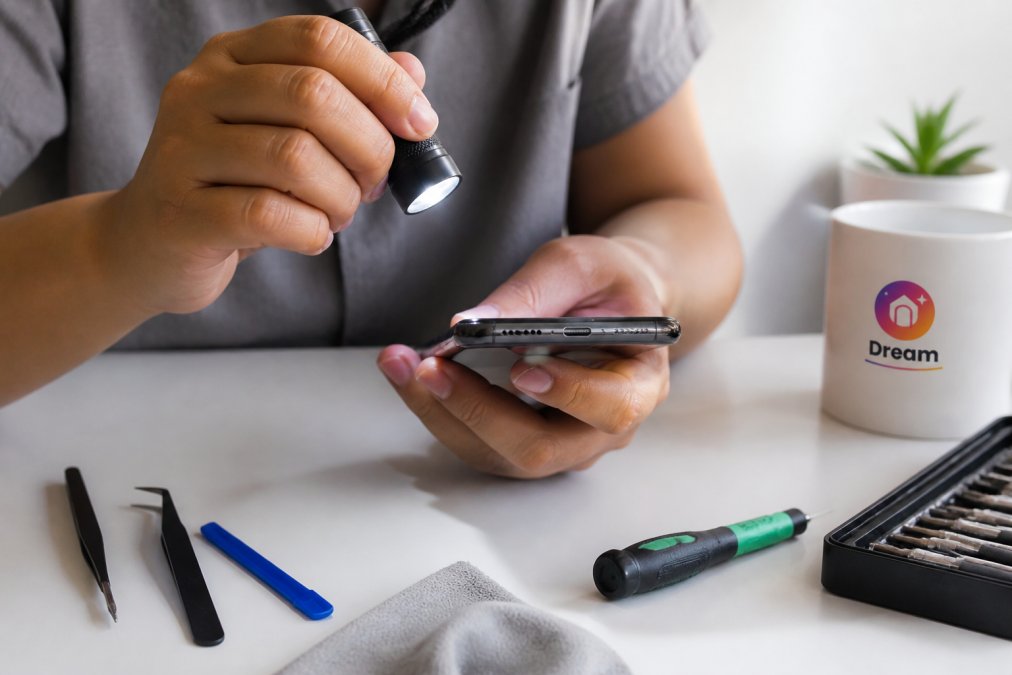
- Screen and body: check for cracks, dead pixels, and dents
- Ports and buttons: test every port, switch, and button
- Battery health: confirm charge cycles and capacity if listed
- Hardware specifications: verify the model number matches the listing
- Connectivity: test Wi-Fi, Bluetooth, and any card slots
- Included accessories: confirm the charger and cables are genuine
- Serial number: check it against the manufacturer's records
Hidden Costs That Kill Your Discount
Hidden costs are the charges that appear after you've committed: shipping, import duties, restocking fees, and extended warranty upsells. These can quietly erase the entire saving on a discounted gadget.
Run the numbers before checkout, not after:
- Shipping costs: free over a threshold, or a flat fee per item
- Import duties and taxes: common on cross-border orders
- Return shipping: who pays if you send it back
- Restocking fees: some sellers charge a percentage on returns
- Accessory upsells: the "essential" case or cable added at checkout
Common Mistakes to Avoid When Buying Discounted Gadgets
The biggest mistakes when buying discounted gadgets are buying on impulse, skipping the seller check, and ignoring the true total cost. Each one turns a bargain into a regret.
Three patterns to break:
- Chasing the countdown timer. Urgency is a sales tool. If you wouldn't buy it at full price for a real need, a timer shouldn't change that.
- Skipping user reviews. Sort reviews by most recent and look for patterns in customer feedback, not just the star rating.
- Ignoring the product lifecycle. A device near the end of its support window may stop receiving security updates, which shortens its useful life.
Frequently Asked Questions
What's the best month to buy electronics on discount?
The best time to buy electronics is during major seasonal sales like Black Friday, Cyber Monday, and back-to-school events. New model releases also trigger price drops on older versions. Price tracking tools and deal alerts help you catch these windows. If you need something urgently, don't wait for a sale. Set a target price and buy when it hits that number.
How can I verify if a discounted gadget is authentic?
Check the seller's reputation through user reviews and customer feedback. Look for certified pre-owned labels and verify hardware specifications against the manufacturer's site. Avoid deals that seem too good, especially from unknown online marketplaces. Use secure payment methods and confirm the return policy before buying. If the price is far below market rate, treat it as a scam detection indicator.
Are refurbished gadgets worth the risk?
Refurbished gadgets often deliver strong value for money when bought from reputable sellers. They cost less than new models and usually come with a warranty. The key is checking what was replaced, whether the battery is new, and if the return policy covers defects. Certified pre-owned items from established sellers carry less risk than random listings on online marketplaces.
What hidden costs should I watch for when buying discounted gadgets?
Shipping costs, import duties, and return shipping can erase your savings. A gadget discounted by 30% might cost more than a local option once you add delivery and customs fees. Always calculate the total landed cost before checkout. Check whether the seller covers return shipping for damaged items, and read the fine print on warranty claims.
Discounted gadgets are only worth buying when the seller, the warranty, and the total cost all check out. Dream Deal Shop makes that easier with daily hand-picked drops, a curated selection across home, wellness, and lifestyle categories, and clear product listings so you know what you're getting before a deal sells out. Shop today's drop now and secure your favorites before they disappear.