


5 Best Smart Home Security Cameras 2026: Buying Guide
Last Updated: October 29, 2026
Quick Summary
The best smart home security cameras in 2026 are chosen by connectivity first: wireless models suit renters and flexible placement, while wired setups rarely need attention afterward. Prioritize local storage, open standards like RTSP and ONVIF, and optional cloud plans over megapixel counts.
- Wireless cameras win for renters and awkward corners, but batteries need charging on a schedule.
- A clean 1080p feed with a wide field of view beats a stuttering 4K stream on weak Wi-Fi.
- An NVR or home hub keeps footage inside the house, so a stolen camera does not take the evidence.
- Place cameras at the front door, back door and side gate, mounted near head height.
- Change the default password immediately and put cameras on a separate guest network.
Table of Contents
- What Actually Matters When Comparing Smart Home Security Cameras in 2026
- Security Cameras Without a Subscription: What You Keep and What You Lose
- Alexa-Compatible Security Cameras and Smart Home Ecosystem Integration
- Where to Place Home Security Cameras for Full Coverage
- The Cost of Ownership Nobody Adds Up
- Privacy and Cybersecurity Hardening for Any Camera You Buy
- Fixing the Connectivity Problems That Plague Most Setups
- Grab a Budget-Friendly Camera Before Today's Drop Sells Out
- Frequently Asked Questions
What Actually Matters When Comparing Smart Home Security Cameras in 2026
Most camera shopping lists obsess over resolution numbers and app screenshots. Neither tells you whether a camera will still be useful two years from now.
The single most useful filter is connectivity. A wireless camera is one you can move tomorrow; a wired one is a commitment. Everything else, from video quality to night vision, follows from that first choice.
Wireless vs. Wired: Which Setup Fits Your Home
Wireless cameras run on battery or solar and talk to your network over Wi-Fi. Wired cameras draw power continuously and often use a cable for data too. Wireless wins for renters, awkward corners, and anyone who wants to reposition a camera without an electrician.
The trade-off is maintenance. Battery-powered units need charging on a schedule, and cold weather shortens runtime. Wired setups cost more upfront in effort but rarely need attention afterward.
Video Quality, Field of View and Night Vision
Ignore the megapixel race. A clean 1080p feed with a wide field of view beats a stuttering 4K stream on weak Wi-Fi. Look for a lens wide enough to cover a doorway and a walkway in one frame, and check the frame rate: smooth motion matters more than sharp stills when you are identifying a visitor.
Night vision comes in two flavors. Infrared gives you black-and-white footage in total darkness. Color night vision needs some ambient light, such as a porch lamp. If your entryway is pitch black, infrared is the honest choice.
Security Cameras Without a Subscription: What You Keep and What You Lose
A subscription-free camera still records, still alerts you, and still lets you watch live. What you give up is long-term cloud history, and what you gain is control over where the footage lives. The gap most guides skip is the mechanics: how local storage actually works, what it costs over time, and where it fails.
How Local Storage Actually Works
There are three common local-storage paths, and they behave very differently:
- microSD card in the camera. The simplest option. The card sits inside the camera, so a thief who takes the camera takes the card. Cards wear out with constant rewriting; most practitioners replace them every year or two.
- Network video recorder (NVR) or home hub. A separate box records footage from one or more cameras over your network. The recorder stays inside the house, so a stolen camera does not take the evidence with it. This is the setup most security-minded households land on.
- Local NAS or home server. Advanced users route footage to a network-attached storage device or a home server running open-source software. Maximum control, but it requires networking knowledge and ongoing maintenance.
The Real Trade-Off: Convenience vs. Evidence
Cloud storage is convenient and survives a stolen device. The catch is the recurring fee, which can become a significant cost of ownership over several years.
A practical middle path is to choose a camera that supports both, then start local and add cloud only if you find yourself checking footage remotely. That keeps the subscription optional rather than mandatory.
What 'No Subscription' Usually Still Includes
Most subscription-free cameras still give you live view, motion push alerts, two-way audio, and a short rolling window of local clips. What they typically restrict is cloud history beyond a trial period, AI-based person/vehicle detection, and rich notification features.
If you want to test a subscription-free setup without committing to a full system, a compact battery camera is a low-risk starting point. Our Mini WiFi Security Camera offers live view on your phone, motion detection and a built-in battery, so you can see how a compact camera fits your routine.

Alexa-Compatible Security Cameras and Smart Home Ecosystem Integration
Alexa-compatible security cameras let you pull up a live feed on a smart display or TV with a voice command. The feature is genuinely useful when your hands are full, and it is the main reason to care about ecosystem fit at all. But the bigger story in 2026 is what happens outside the big-three voice assistants, and that is where most guides go quiet.
The Big-Three Check
Before buying, verify three things for Alexa, Google Home, or Apple Home:
- Whether live view works on your specific assistant device, not just in the marketing copy
- Whether motion alerts can trigger other routines, like turning on a porch light
- Whether the camera needs a separate hub or bridge
A camera that only speaks to one ecosystem can strand you later. If you plan to switch assistants, prefer a model that supports at least two of the three.
The Gap: Non-Major Smart Hubs
If you run a hub that is not one of the big three voice assistants, compatibility is where most buying guides stop, and where your research should start. Open-source and local-first platforms such as Home Assistant, Homey, and Hubitat are increasingly common among households that want their devices to work together without a cloud dependency.
Here is what to check before buying for a non-major hub:
- Protocol support. Does the camera expose RTSP, ONVIF, or MQTT? These open standards are what local hubs use to pull a stream or receive events without a vendor app.
- Local API access. Some cameras only talk to the manufacturer's cloud. Others expose a local endpoint your hub can query directly.
- Community integrations. Check whether the hub's community has a working integration for the specific model, not just the brand.
A camera that supports RTSP and ONVIF is the safest bet for a non-major hub, because those standards are widely implemented and do not depend on one vendor's roadmap.
Mini WiFi Security Camera – Live View on Your Phone, Motion Detection →
Practical Integration Tips
- Put cameras on a separate network segment from your hub if your router supports it; this limits what a compromised camera can reach.
- Test the integration before you mount the camera permanently, pairing is easier at the router than on a ladder.
- Keep a note of which app or hub controls each camera; households that mix ecosystems often lose track of which device answers to which command.
If you are building a mixed setup and want a camera you can move between rooms or hubs while you test, a compact battery-powered unit is the easiest starting point. Our Mini WiFi Security Camera is compact and easy to reposition as you map out your setup. First-time customers get 10% off their first order.
Where to Place Home Security Cameras for Full Coverage
Place cameras at the points a person must pass: the front door, the back door, and any side gate. Height matters. Mounting too high can give a poor view of faces.
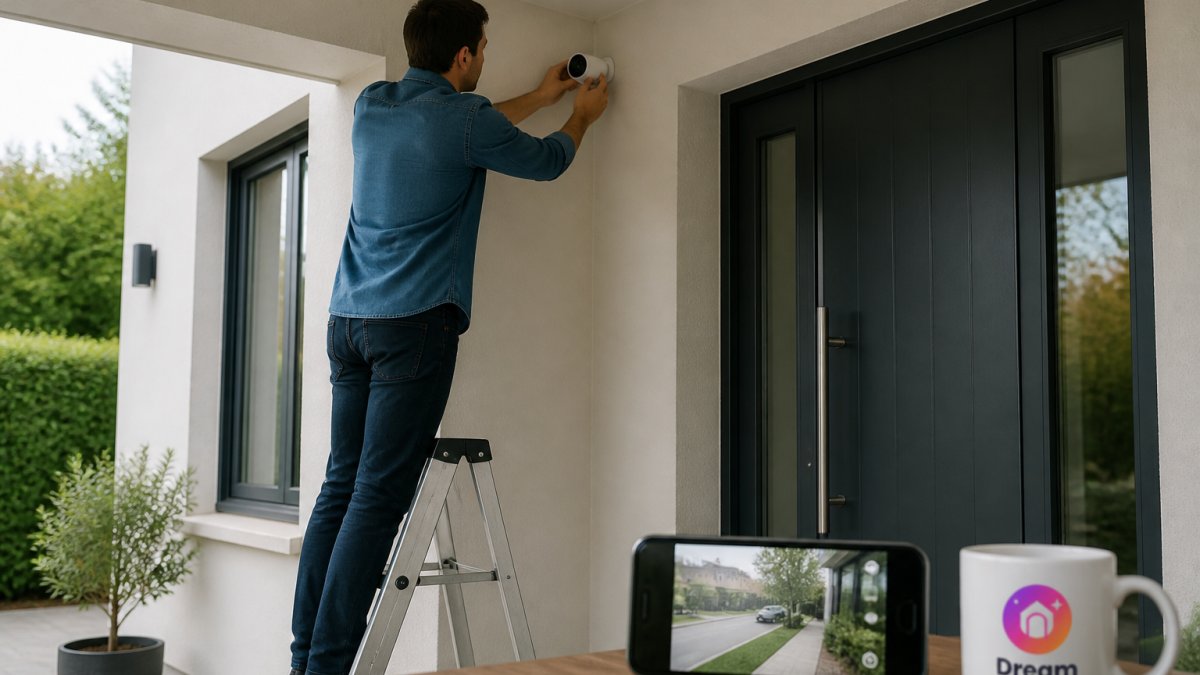
Coverage gaps are normal. If you want a view of a spot a fixed unit cannot reach, a compact camera you can position flexibly helps: our Adjustable Angle Pet Collar Camera HD Recorder is a wearable-style option for angles a wall-mounted unit misses.
Avoid pointing cameras at neighbours' windows or shared hallways. It causes disputes and, in many places, runs into privacy rules.
The Cost of Ownership Nobody Adds Up
The sticker price is the smallest part of the bill. Over a few years, subscriptions, replacement batteries, memory cards, and mounting hardware add up.
Here is how the main options compare on the costs that recur:
| Option | Upfront Effort | Recurring Cost | Best For |
|---|---|---|---|
| Battery camera, local storage | Low | Memory card only | Renters, flexible placement |
| Wired camera, local recorder | High | None | Permanent coverage |
| Any camera, cloud plan | Low | Monthly subscription | Remote access, theft protection |
| Solar camera, local storage | Medium | None after setup | Spots without power |
Watch out: a "free" cloud tier usually expires or caps history, so read the plan terms before you rely on it.
Privacy and Cybersecurity Hardening for Any Camera You Buy
A camera is a small computer on your network, and it deserves the same care. Change the default password immediately.
Turn off features you do not use, such as cloud sharing or third-party integrations. If you record a public-facing area, follow local privacy law and tell visitors where reasonable.
Physical protection counts too. For guidance on handling personal data, see the UK Information Commissioner's Office guidance on home CCTV.
Fixing the Connectivity Problems That Plague Most Setups
Most camera complaints are network complaints. A camera that drops offline, stutters, or misses alerts is usually fighting a weak Wi-Fi signal. Check signal strength at the mounting spot with your phone before you commit to it.
Work through the usual suspects in order:
- Move the router or add a mesh node nearer the camera
- Switch the camera to the 2.4GHz band, which travels further through walls
- Update firmware and re-pair the device after major router changes
If a camera still fails after these steps, test it close to the router. If it works there, the problem is placement, not the device.
Grab a Budget-Friendly Camera Before Today's Drop Sells Out
A good camera does not need to be expensive; it needs to fit your Wi-Fi, your placement, and your tolerance for subscriptions. Our Mini WiFi Security Camera covers the basics: live view on your phone, motion detection, one-way audio, and a built-in battery, so you can place it without running wires. First-time customers get 10% off their first order, and our daily drops move fast, so check the Federal Trade Commission's advice on shopping online before you buy anywhere.
Frequently Asked Questions
Do smart home security cameras require a subscription?
Not always. Many cameras work fine without one: they record to a local microSD card or a home recorder, and you watch live footage through the app. A subscription usually adds cloud storage, longer clip history and smarter alerts. If you want security cameras without a subscription, check that the model supports local storage before you buy, and confirm which features stay free.
Which security cameras work with Alexa?
Alexa-compatible security cameras let you pull up a live feed on an Echo Show or Fire TV with a voice command. Compatibility varies by model, so check the listing for Alexa support before buying. Cameras that also support other platforms give you more flexibility if you later add a different smart home hub. Pair the camera with your existing setup first, then expand.
Where should I place home security cameras around my house?
Start with entry points: front door, back door and any ground-floor windows. Place cameras high enough to avoid tampering but low enough to capture faces, and angle them away from direct sun and streetlights to keep night vision clear. Indoors, cover main hallways and living areas. Test the live view on your phone from each spot before drilling any holes.
Are wired or wireless security cameras better?
Wireless cameras are faster to install and easier to move, but they depend on battery life and a strong Wi-Fi signal. Wired cameras run continuously and avoid battery swaps, though installation takes more work. For renters or quick setups, battery-powered or solar-powered models make more sense. For permanent coverage, wired is the steadier choice.
Set up one camera properly this week rather than buying three you never configure. Start with a single well-placed unit, confirm your Wi-Fi reaches it, and harden the login before you add a second. Get started with Dream Deal Shop and secure a practical camera at a real discount before today's drop is gone.
