


How to Choose the Right Wireless Charging Station?
Last Updated: November 13, 2026
Quick Summary
To choose the right wireless charging station, first list every device you need to charge, then confirm each one supports wireless charging. Check the number of positions that charge simultaneously, the power adapter required, and whether the station fits your phone's case and your desk space.
- Make a list of your phone, smartwatch and earbuds before comparing any product.
- Total station output is shared across connected devices, so check per-position output.
- Confirm the power adapter wattage and protocol match what the station requires.
- Use a cable supplied with the station or rated for the same wattage.
- Thick cases and metal accessories can shift alignment, so check magnets still line up.
Table of Contents
- Start With the Devices You Need to Charge
- Wireless Charging Station for Multiple Devices: What to Check
- Qi vs MagSafe Wireless Charging: Which Standard Fits Your Phone
- Wireless Charging Speed 10W vs 15W: Does the Difference Matter?
- Wireless Charger Compatibility With iPhone and Android
- Power Adapter, Cases and Alignment: Setup Details That Affect Performance
- Pick Your Wireless Charging Station and Save 10% on Your First Order
- Frequently Asked Questions
Start With the Devices You Need to Charge
Choosing a wireless charging station starts with a simple question: what do you need to charge? Many shoppers buy a charger first and check compatibility later, which is where mistakes happen. Make a list of your phone, smartwatch and earbuds before you compare any product. A station built for one phone will not always suit your whole setup.
Once you have your list, check each device's wireless charging support. Many Qi-enabled phones and earbuds work with a standard Qi pad, but some devices need specific alignment or a particular standard. Our 30W 3-in-1 Desktop Wireless Charging Station is designed for a compatible phone plus supported watch and earbud accessories, so it suits a desk setup with several everyday devices. Read each listing carefully before you buy.
Shoppers who need to keep things tidy often look for a foldable option. Our 30W Foldable 3-in-1 Wireless Charger for Phone, Watch & AirPods brings phone, watch and AirPods together in one compact accessory that folds down for travel or storage.
Wireless Charging Station for Multiple Devices: What to Check
A multi-device station is only useful if it charges everything you own at once, and that depends on more than the number of slots on the box. Work through these checks in order before you compare models.
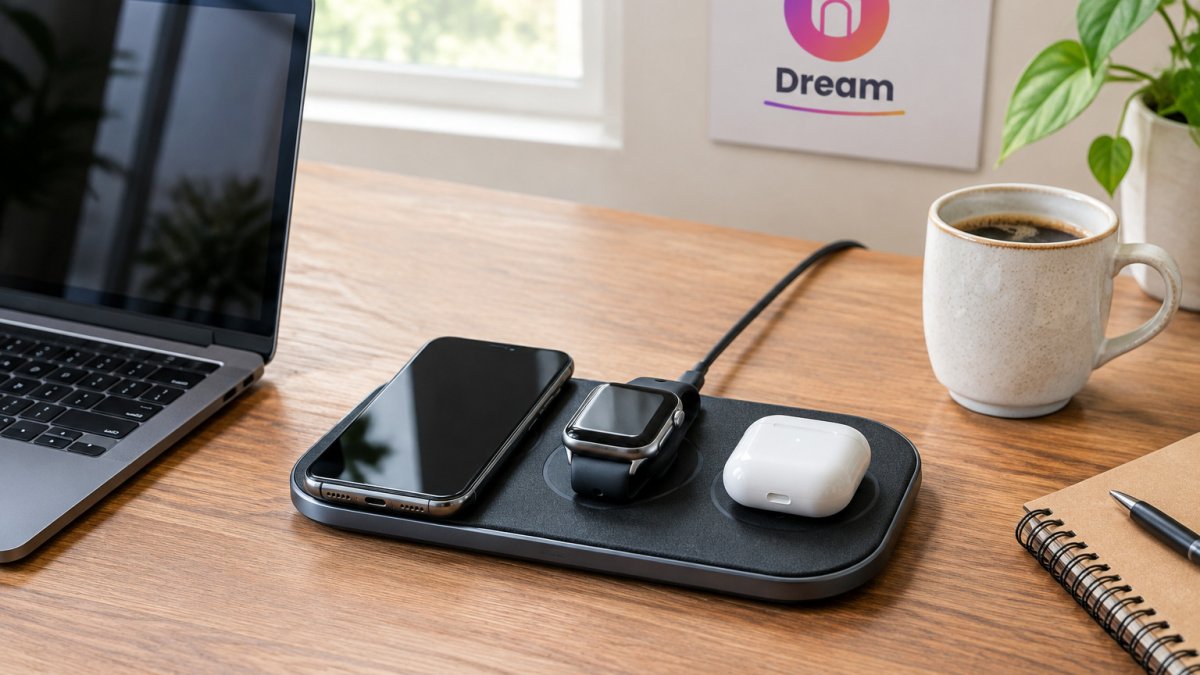
1. Count the charging positions and confirm they run simultaneously. Some stations list three positions but only two charge at full speed when all are occupied. Look for wording like "simultaneous charging" or "all positions active" rather than assuming every slot works at once.
2. Understand the shared power budget. A station's total output is split across the devices connected to it. A 30W station charging a phone, watch, and earbuds at the same time does not deliver 30W to each device, the phone gets the largest share, the watch and earbuds get smaller trickle charges. This is normal, but it means a high total wattage does not guarantee fast charging on every position.
3. Check the included or required power adapter. This is where many setups underperform. A station that needs a QC 3.0 adapter will not perform well with a basic 5V/1A block, and some stations ship without an adapter at all. Our 3-in-1 Magnetic Wireless Charging Station for iPhone, Watch & Earbuds lists its adapter requirement on the product page, which is the kind of detail worth checking before you order. If you already own a suitable adapter, confirm its wattage and protocol match what the station expects.
4. Match the cable to the adapter. A thin or low-quality USB cable can bottleneck power even with a good adapter. Use the cable supplied with the station or one rated for the same wattage.
5. Measure your desk or bedside space. If your workspace is crowded, a compact design with a clear layout will serve you better than a large stand with extra slots you never use. A foldable model can also pack down for travel.
Watch out: total output is shared across connected devices, so check the per-position output, not just the total.
Shoppers who need to keep things tidy often look for a foldable option. Our 30W Foldable 3-in-1 Wireless Charger for Phone, Watch & AirPods brings phone, watch and AirPods together in one compact accessory that folds down for travel or storage.
The checks below are the ones that most often decide whether a multi-device station works for your setup.
| Check | What to look for | Why it matters |
|---|---|---|
| Charging positions | Wording like "simultaneous charging" or "all positions active" | Some slots only charge at full speed when others are empty |
| Shared power budget | Per-position output, not just the total | Total output is split across connected devices |
| Power adapter | Adapter wattage and protocol matching the station's requirement | A basic 5V/1A block can limit performance |
| USB cable | Cable supplied or rated for the same wattage | A thin cable can bottleneck power |
| Desk space | Compact layout with only the slots you use | Crowded spaces favour compact or foldable designs |
Qi vs MagSafe Wireless Charging: Which Standard Fits Your Phone
Most wireless chargers use the Qi standard, which works with many phones and earbuds. MagSafe-style charging adds magnetic alignment, so the phone sits in the right spot without you adjusting it.
If your phone supports magnetic alignment, a magnetic station can hold it steady. Our 3-in-1 magnetic model is built around that approach for compatible iPhone, Apple Watch and Qi-enabled earbuds. If you use a thick case, check whether the magnets still line up before you buy.
Qi is the open wireless charging standard, so it works with a wide range of phones, earbuds and chargers. Choose the standard that matches the phone you actually use, not the one you think looks best.
Wireless Charging Speed 10W vs 15W: Does the Difference Matter?
Charging speed is one of the first numbers shoppers compare, and it is worth understanding what it means. A 15W output is faster than 10W on a device that supports it, but the phone, case, adapter and cable all affect the real result. A 10W station will still charge your phone well for overnight use.
If you charge during the day and need quick top-ups, a higher wattage can help. If you mostly charge overnight, the gap between 10W and 15W often matters less than alignment and reliable power. Compare the output your own phone supports, not just the number on the box.
Our 30W stations list their output as input support, and actual charging depends on the connected devices. Read the listing before assuming the highest number will give you the fastest charge.
Wireless Charger Compatibility With iPhone and Android
Compatibility is where many purchases go wrong, and the fix is a short checklist rather than a single spec. An iPhone and an Android phone can both use Qi charging, but magnetic alignment, power limits, and case thickness vary by model, so confirm each device against the listing before you buy.
Phone side. The magnetic station in our range is designed for iPhone 12 through iPhone 16 series devices with magnetic alignment. Android phones that support Qi charging will work on a standard Qi pad, but magnetic alignment is not universal across Android brands, some use their own magnetic accessory systems, and many have no magnets at all. If you switch between Android and iPhone, a standard Qi station may give you more flexibility than a model made for one brand.
Watch side. Smartwatch charging is the most common compatibility trap. Apple Watch uses a proprietary magnetic charging method, and many Android watches use their own standards. A station's watch position is usually built for one family of watches, so check that your exact watch model is listed, not just "smartwatch compatible."
Earbuds side. Qi-enabled earbud cases charge on a standard pad, but not every earbud case supports wireless charging at all. The magnetic station in our range works with compatible AirPods and other Qi wireless charging earbuds, including select Galaxy Buds models.
Case and accessory checks. A slim case usually works well, but thick cases, metal plates, magnetic mounts, and camera bumps can shift alignment or block charging. Remove heavy cases or metal accessories when you charge if you notice inconsistent results. Camera bumps matter most on stands that hold the phone vertically, the bump can push the phone off the coil.
A quick compatibility matrix to think through:
- iPhone + Apple Watch + Qi earbuds: a magnetic 3-in-1 station is the natural fit.
- Android phone + Android watch + Qi earbuds: check the watch standard first; a standard Qi pad plus a separate watch charger may be more reliable.
- Mixed household (iPhone and Android): a standard Qi station covers more devices, with magnetic alignment as a bonus only for the iPhone.
Watch out: a listing that says "compatible with iPhone" may still cap charging speed on older models or require a specific adapter, confirm your exact model number, not just the brand.
Power Adapter, Cases and Alignment: Setup Details That Affect Performance
Setup choices affect performance more than most shoppers expect. A slim case usually works well, but thick cases, metal plates or camera bumps can shift alignment and slow charging. Remove heavy cases when you charge if you notice inconsistent results.
Pair the station with a suitable power adapter. A low-output adapter can limit speed or prevent some stations from working at all. Our 30W foldable stand with LED lists its charging output as dependent on your device, adapter and wireless requirements.
Place the charger on a flat, stable surface with good airflow. Avoid covering it with blankets or charging inside a closed drawer, since heat builds up and can reduce efficiency.
Pick Your Wireless Charging Station and Save 10% on Your First Order
Start with your device list, check compatibility and choose the power that matches your phone and adapter. A multi-device station makes sense for a desk with several gadgets, while a magnetic model suits iPhone users who want steady alignment.
Ready to choose? Shop the wireless charging options at Dream Deal Shop, and first-time customers get 10% off their first order.
BUTTON: Shop wireless chargers CARD_TITLE: Which charging station fits your desk? CARD_TEXT: Dream Deal Shop curates wireless chargers for phones, watches and earbuds, with 10% off your first order.
Frequently Asked Questions
What features should I look for when choosing a wireless charger?
Start with the devices you own: check that the station supports your phone, watch and earbuds through Qi or MagSafe. Confirm the maximum wattage, whether the adapter is included, and how the phone is aligned on the pad. Compact designs suit small desks, while foldable stands are easier to store. Compare the listing details rather than the marketing headline.
Is MagSafe or Qi better for wireless charging?
Qi is the open wireless charging standard, so it works with a wide range of phones, earbuds and chargers. MagSafe is Apple's magnetic system for iPhone that snaps accessories into exact alignment, which helps with consistent charging. If you use an iPhone, MagSafe-compatible or Qi-enabled stations both work well. For mixed households with Android phones and earbuds, a Qi station is usually the more practical choice.
Is 10W or 15W better for wireless charging?
A 15W station charges a compatible phone faster than a 10W one, provided your phone supports that wattage and you use a suitable power adapter. Real charging speed depends on the device, the case and the adapter, so a 15W listing does not guarantee 15W output. If your phone only supports 7.5W, the extra wattage will not help. Match the station's output to your phone's supported charging rate.
Can a wireless charging station charge multiple devices at once?
Many 3-in-1 wireless charging stations are designed to charge a phone, a smartwatch and earbuds at the same time. Performance varies, because the total power is shared between devices and some devices charge more slowly when others are connected. Check that the station lists each device you own, and use a power adapter that meets the station's requirements. A foldable 3-in-1 station is a good fit for a desk or nightstand.
