


Best Smart Monitors for Home Office: 2026 Guide
Table of Contents
- What Makes a Smart Monitor Right for Your Home Office
- Best Monitor for Working From Home: Key Features to Compare
- Rospider Portable Extenders: Multi-Screen Solutions for Remote Work
- Smart Monitor With Built-in Apps: Connectivity and Integration
- Monitor With Webcam and Microphone for Home Office Calls
- Curved vs Flat Monitor for Office Work: Which Fits Your Setup
- Display Quality, Resolution, and Eye Comfort for All-Day Work
- Compatibility Across Devices and Operating Systems
- Frequently Asked Questions
Last Updated: October 15, 2026
What Makes a Smart Monitor Right for Your Home Office
Working from home means your monitor does more than display your screen, it shapes your entire day. The best smart monitors for home office setups combine display quality, connectivity, and built-in features that reduce desk clutter and simplify your workflow.
A smart monitor isn't just a screen. It's a workspace hub. Unlike traditional displays, the best smart monitors for home office work include webcams, microphones, speakers, and app integration. This means fewer cables, fewer devices, and more focus on actual work.
At Dream Deal Shop, we understand that remote workers need practical solutions that deliver real value. Whether you're managing video calls, editing content, or juggling multiple applications, the right monitor setup makes a measurable difference in productivity and comfort.
The key differences come down to screen size, resolution, connectivity options, and whether built-in features actually matter for your workflow. Some home office workers thrive with a single large display. Others need the flexibility of portable multi-screen setups that travel with them.
Best Monitor for Working From Home: Key Features to Compare
Choosing the best smart monitors for home office use means understanding what actually impacts your daily work. Screen real estate matters. Resolution matters. But so does ergonomics, connectivity, and whether your setup plays nicely with your existing devices.
Display size and screen real estate: Most home office workers find 24-27 inches ideal for a primary monitor. Larger screens reduce eye strain from constant focus on a small area. If you're working with spreadsheets, code, or design software, extra pixels mean you see more at once without scrolling.
Resolution and pixel density: Full HD (1920x1080) works for basic tasks. QHD (2560x1440) gives you noticeably sharper text and more workspace. 4K delivers the crispest image but demands more from your laptop's GPU. For home office work, QHD strikes the best balance between clarity and performance.
Panel type and image quality: IPS panels offer wider viewing angles and more accurate color than TN panels. OLED displays deliver superior contrast but come at a premium price. For video calls and everyday work, IPS is reliable and affordable.
Refresh rate and response time: Home office work doesn't demand 144Hz. 60Hz is sufficient. Response time matters only if you're gaming or doing fast-paced creative work. For office tasks, a 30ms response time is perfectly adequate.
Ergonomics and adjustability: Height adjustment, tilt, and swivel are non-negotiable. You'll spend 8+ hours facing this screen. Poor positioning causes neck strain and fatigue. Look for monitors with full-range adjustability or arm mounts.
Connectivity: USB-C with power delivery simplifies cable management. HDMI and DisplayPort ensure compatibility across devices. A built-in USB hub reduces desk clutter further.
| Feature | Why It Matters | Home Office Priority |
|---|---|---|
| Screen Size | Reduces eye strain, increases workspace | High |
| Resolution | Sharpness and multitasking capability | High |
| Panel Type | Color accuracy and viewing angles | Medium |
| Refresh Rate | Smoothness (less critical for office work) | Low |
| Ergonomics | Comfort during long workdays | High |
| Connectivity | Cable management and device compatibility | High |
| Built-in Webcam | Simplifies video calls | Medium |
Rospider Portable Extenders: Multi-Screen Solutions for Remote Work
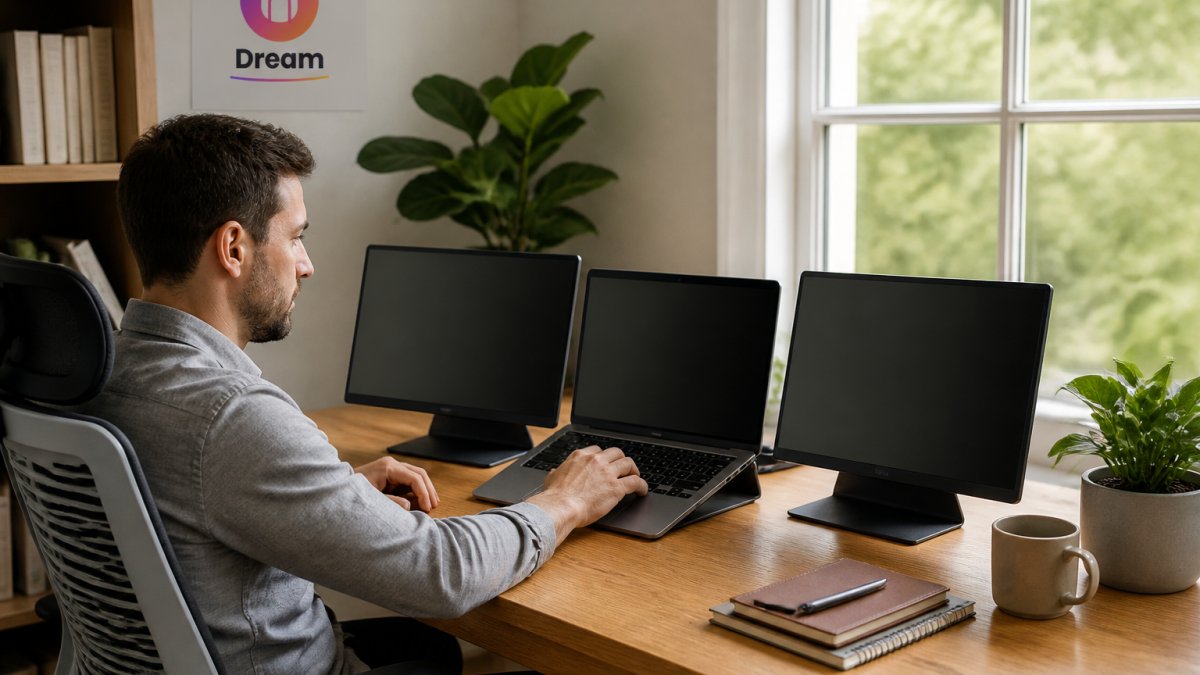
If you need the best smart monitors for home office productivity without being tied to a desk, portable multi-screen extenders transform your setup. These attach directly to your laptop and give you the screen real estate of a full workstation, anywhere.
The Rospider lineup at Dream Deal Shop offers several configurations to match different work styles and device compatibility needs. We also carry Tech Accessories to complement your multi-screen setup, from cable organizers to laptop stands that maximize your workspace efficiency.
16" QHD Triple-Screen Option
The Rospider 16" 2.5K Portable Tri-Screen Monitor delivers QHD IPS panels at 2560x1600 resolution.
This model works best if you have a compatible Mac (M1 Max/Pro, M2 Max/Pro, M3 Max/Pro, M4, or Intel) or Windows laptop with full-function USB-C. The detachable design lets you use one, two, or three screens depending on your task. Working on a spreadsheet? Use all three. On a video call? Drop to two screens and reclaim desk space.
The 16:10 aspect ratio and IPS panel deliver vivid, accurate colours with wide viewing angles.
Foldable Triple-Screen for Maximum Portability
The Rospider Portable Triple Screen Extender (14" to 18.5") prioritizes portability. The foldable design clips onto your laptop without requiring a desk or stand. Choose your size, 14", 15.6", 16", or 18.5", and get identical FHD IPS features across all models.
FHD resolution (1920x1200 at 16:10) is a vivid wide-angle colour display. The swivel bracket lets you rotate screens to portrait orientation when you need vertical screen space for document review or coding.
This model works with any Mac from 2019 onward and Windows 10/11 systems. The one requirement: screens need their own USB-C power, your laptop can't supply enough power for triple screens.
Dual-Screen FHD with Flexible Rotation
The Rospider 15.6" Dual Screen Extender and the Rospider Portable FHD IPS Dual/Triple Screen Extender (available in 14", 15.6", and 16") offer flexibility for teams that don't need maximum screen real estate.
The 15.6" dual-screen model creates a triple-screen setup with your laptop. FHD resolution (1920x1200) and a 1000:1 contrast ratio are features of the display. At 250 cd/m² brightness, the display handles office lighting without glare.
The 360° rotation models (S11 16", S10 15.6", S7 14") let both screens rotate independently, so you can switch between landscape and portrait instantly.
Rospider 16" 2.5K Portable Tri-Screen Monitor – Detachable Triple Screen →
All Rospider models require compatibility verification before purchase. Leave your laptop brand and model in your order notes so we can confirm it works with your system.
Smart Monitor With Built-in Apps: Connectivity and Integration
The best smart monitors for home office increasingly include built-in apps and wireless connectivity. This reduces the number of cables and devices cluttering your desk.
Built-in apps typically include video conferencing platforms, streaming services, and productivity tools.
USB-C with power delivery is the game-changer. A single USB-C cable connects your laptop, charges it, and provides data and video simultaneously. This reduces cable clutter dramatically.
Monitor With Webcam and Microphone for Home Office Calls
Privacy is worth considering. A built-in camera means thinking about physical privacy, can you cover the lens? Does the monitor have a privacy shutter? These features matter if you're concerned about unauthorized access.
Curved vs Flat Monitor for Office Work: Which Fits Your Setup
Curved monitors have gained popularity, but for home office work, the choice depends on your specific setup and viewing distance.
Display Quality, Resolution, and Eye Comfort for All-Day Work
Eye strain accumulates over eight hours. The right display reduces it significantly.
Brightness and contrast affect perceived clarity. A monitor with 250+ cd/m² brightness handles office lighting. A 1000:1 contrast ratio delivers crisp blacks and bright whites.
Color accuracy matters if you're reviewing photos, design work, or anything requiring true-to-life color. IPS panels deliver accurate color with wide viewing angles. Some monitors include factory calibration; others require adjustment.
Compatibility Across Devices and Operating Systems
The best smart monitors for home office work seamlessly with your existing devices. Compatibility issues create frustration and limit flexibility.
Mac compatibility varies significantly. Older Macs (pre-2019) have limited USB-C capabilities. Newer Macs with M1, M2, and M3 base chips have specific limitations, check manufacturer specs before purchasing. M1 Max/Pro, M2 Max/Pro, M3 Max/Pro, M4, and M4 Max/Pro chips work with most modern monitors.
Windows compatibility is broader. Any Windows 10 or 11 system with USB-C, HDMI, or DisplayPort works with standard monitors. Portable extenders may require specific USB configurations, typically one HDMI plus one USB-C, or two full-function USB-C ports.
iPad and tablet compatibility depends on the monitor's input options. USB-C iPads can connect to USB-C monitors. Older iPads require adapters.
Docking stations add flexibility. A Thunderbolt or USB-C dock lets you connect once and work with multiple devices. This is invaluable if you switch between a work laptop and personal computer.
Before purchasing any monitor setup, verify compatibility with every device you'll connect. Manufacturers provide detailed compatibility lists, use them. Dream Deal Shop's team can help verify compatibility if you include your device details in your order notes.
Finding the best smart monitors for home office work means matching features to your actual workflow. Screen size, resolution, and ergonomics matter most.
Portable multi-screen extenders from Rospider deliver flexibility that traditional monitors can't match. Whether you're working from a coffee shop, co-working space, or home office, these setups expand your productivity instantly. First-time customers at Dream Deal Shop get 10% off your first order, shop today's drop now to secure your setup before inventory sells out.
Frequently Asked Questions
What kind of monitor is best for working from home?
The best monitor for working from home depends on your space and workflow. Portable extenders work well if you move between locations or have limited desk space. Look for IPS panels for accurate colors, at least FHD resolution for sharp text, and USB-C connectivity for single-cable setup. If you video conference frequently, consider models with good brightness and color accuracy. Multi-screen setups reduce window switching and boost productivity for tasks like email, spreadsheets, and content editing.
What makes a smart monitor different from a regular monitor?
The Rospider extenders offer detachable or foldable designs so you can use one, two, or three screens depending on your task.
Is a portable monitor good enough for daily home office work?
Yes, portable monitors work well for daily home office tasks. They offer genuine screen real estate without requiring a permanent desk setup. FHD and QHD resolution handles email, documents, video calls, and web browsing without strain. The main trade-off is that they require a laptop or power source to function. If you need a monitor that works independently or want ultra-high resolution for detailed design work, a traditional desk monitor might suit you better. First-time customers at Dream Deal Shop get 10% off their first order.
Do I need multiple screens for home office work?
Multiple screens boost productivity for most home office tasks. A second screen lets you keep email or chat open while working on documents, or reference materials while coding. If you mostly do single-task work like writing or calls, one good monitor may be enough. Test your workflow before committing to multi-screen setups.