

Is a Smart Sit-Stand Desk Worth It? A 2026 Guide
Table of Contents
- What a Smart Sit-Stand Desk Actually Does
- Smart Desk vs. Regular Standing Desk: Key Differences
- Real Benefits: Posture, Movement, and Productivity
- Sit-Stand Desk Pros and Cons: What You Need to Know
- How Often to Alternate Sitting and Standing
- Sit-Stand Desk Buying Guide: What Actually Matters
- Is It Worth the Investment? The Honest Answer
- Frequently Asked Questions
Last Updated: October 7, 2026
What a Smart Sit-Stand Desk Actually Does
A smart sit-stand desk is a height-adjustable work surface that moves between sitting and standing positions with motorized controls. Unlike a regular standing desk that stays fixed at one height, a smart sit-stand desk lets you switch positions throughout the day without manual effort.
The desk uses electric motors to raise and lower the desktop. You control it with buttons, a remote, or even a smartphone app. Some models remember your preferred heights and move to them automatically.
This matters because staying in one position all day strains your body. Your back, neck, and hips take the hit. A desk that moves lets you change positions without thinking about it.
Smart Desk vs. Regular Standing Desk: Key Differences
The main difference comes down to effort and convenience. A regular standing desk requires manual adjustment, you crank a handle or use a lever to change height. A smart sit-stand desk does the work for you with a motor.
Here's what separates them:
| Feature | Smart Sit-Stand Desk | Regular Standing Desk |
|---|---|---|
| Adjustment | Electric motor | Manual crank or lever |
| Effort to switch | One button press | Physical effort required |
| Speed | Fast (30-60 seconds) | Slower, depends on user |
| Memory presets | Yes, most models | No |
| Cost | Higher | Lower |
| Reliability | Needs power/maintenance | Simple mechanics |
Manual desks work fine if you're willing to adjust them regularly. But most people don't. They get stuck in one position because switching takes effort.
With a smart desk, you're more likely to alternate positions. The ease of pushing a button beats the friction of cranking a handle. Small friction adds up over a workday.
Real Benefits: Posture, Movement, and Productivity
Reducing back and neck strain through position changes
Moving between sitting and standing reduces strain on your spine. When you sit all day, your lower back curves unnaturally. Standing all day puts pressure on your feet and legs. Alternating between both gives different muscle groups a break.
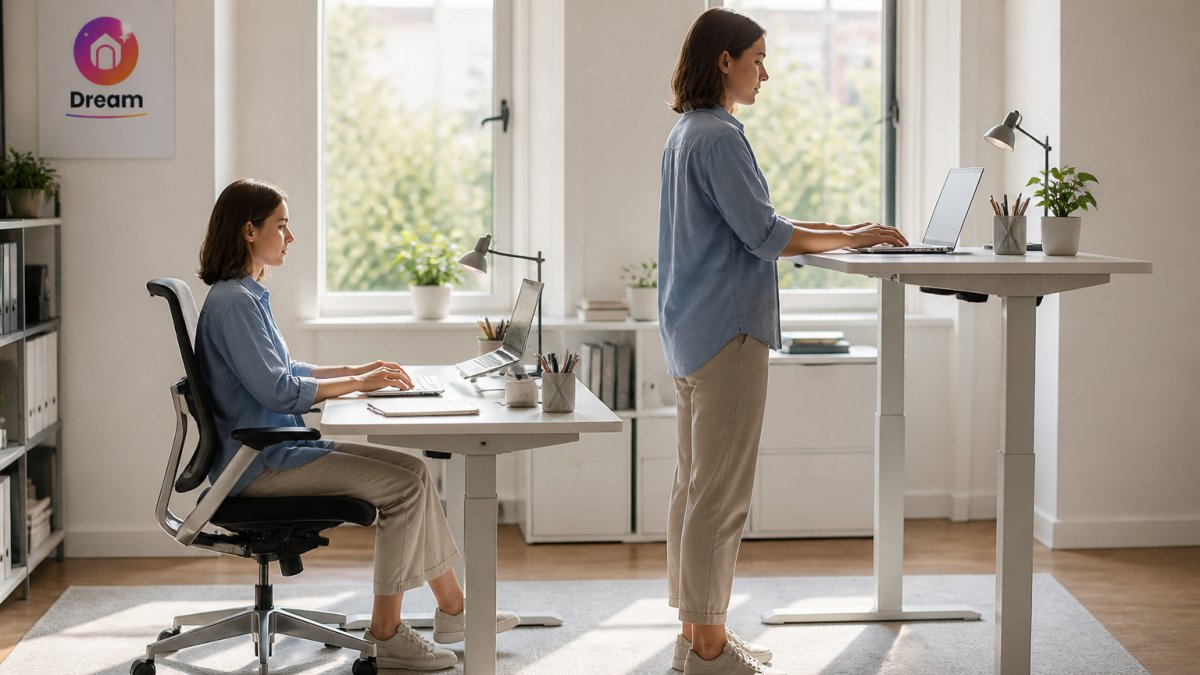
Your neck benefits too. Sitting locks your head in one forward position. Standing encourages you to adjust your monitor height and posture. This variation prevents the stiffness that comes from staying still for hours.
The key is that you actually have to switch positions for this to work. A smart desk makes switching easy enough that you'll actually do it.
Energy and focus throughout the workday
Standing boosts blood flow and oxygen to your brain. Many people report feeling more alert when they stand. Your energy dips less in the afternoon when you're moving around instead of slumped in a chair.
This affects focus too. Movement keeps your mind sharper than sitting still. You're less likely to hit that 3 p.m. energy crash if you've been changing positions.
Productivity picks up because you're not fighting fatigue. You stay engaged with your work instead of fighting to stay awake.
Sit-Stand Desk Pros and Cons: What You Need to Know
Pros:
- Reduces back and neck discomfort over time
- Encourages movement and position changes
- Improves focus and energy levels
- Easy to use with motorized adjustment
- Can accommodate multiple users with preset heights
- Works for different body types and desk setups
Cons:
- Higher upfront cost than fixed desks
- Requires electricity and occasional maintenance
- Takes desk space (base is wider than standard desks)
- Not ideal if you share a small workspace
- Noise from the motor (though most modern ones are quiet)
- Benefits take weeks to show, not days
The real question isn't whether sit-stand desks work. It's whether you'll actually use the standing feature. If you set it up and forget about it, you've wasted money. If you switch positions regularly, the benefits compound.
How Often to Alternate Sitting and Standing
Most people do best with a gradual transition, not an all-or-nothing switch. A common pattern is to start with 20 minutes of standing for every 40 minutes of sitting, then build up over a few weeks. The goal is to move before you feel pain or stiffness, not to stand for hours at a time.
Here's a practical schedule you can adapt:
Week 1-2: Sit for 45 minutes, stand for 15 minutes. Repeat 2-3 times per day.
Week 3-4: Sit for 40 minutes, stand for 20 minutes. Aim for 3-4 cycles.
Week 5 onward: Try a 30-30 pattern or 40-20, depending on what feels sustainable. Some people prefer 50-10 on busy days.
Use your desk's memory presets to make switching effortless. If your desk has a reminder feature or app integration, set it to nudge you every 30-45 minutes. The best rhythm is the one you'll actually stick with.
Evidence check: Standing alone is not a substitute for exercise, and it won't guarantee you'll avoid back pain. Research suggests that alternating positions can reduce discomfort for some people, but individual results vary. If you have a pre-existing condition, talk to a healthcare provider before making big changes.
Accessibility note: If you have mobility limitations, fatigue, or chronic pain, a smart desk can still help, but you may need a model with a lower adjustment range or a sit-stand stool for support. Consult an ergonomics professional if you're unsure about your setup.
Sit-Stand Desk Buying Guide: What Actually Matters
When you're comparing smart sit-stand desks, focus on these criteria:
Adjustment range and speed
Check that the desk covers your seated and standing heights. Most people need a range from about 28 inches to 47 inches, but if you're very tall or short, verify the specs. A desk that takes 90 seconds to adjust is slower than one that takes 30 seconds, you're less likely to switch if it feels sluggish.
Stability at standing height
A wobbly desk is a dealbreaker. Test stability by pushing down on the desktop at standing height, it should feel solid. Look for desks with a sturdy frame and dual motors for better stability.
Motor noise and lifting capacity
Most modern motors are quiet, but some are louder than others. If you take calls or share a space, check reviews for noise levels. Weight capacity matters if you load the desk with monitors, lamps, and equipment. Check the specs for heavy setups.
Controls and cable management
Buttons should be easy to reach and press. A remote control is nice but not essential. Some desks sync with your phone, which is convenient if you travel between desks. Good cable management keeps your workspace tidy and prevents tangles when the desk moves. Pairing your desk with quality Tech Accessories can help you organize cables and keep your setup clean.
Warranty and total cost of ownership
A smart sit-stand desk costs more upfront than a regular desk, but if you use it consistently for years, the cost per use drops. Factor in durability: cheap motors fail. Quality brands stand behind their products with warranties.
Is It Worth the Investment? The Honest Answer
A smart sit-stand desk is worth it if three things are true:
You'll actually use the standing feature. This is the biggest factor. If the desk sits at standing height 90% of the day, you've wasted money. You need to switch positions regularly for benefits to show up.
You spend long hours at a desk. If you work four hours a day, the strain is less. If you work eight or more hours, the relief from position changes matters more.
You have the budget. A quality smart desk isn't cheap. If money is tight, a basic ergonomic chair and a regular standing desk might serve you better.
The honest truth: a smart sit-stand desk helps with discomfort and energy, but only if you use it right. It's not magic. It's a tool that works when you actually change positions.
If you sit all day and never move, even the best desk won't help. If you're willing to switch positions regularly, a smart desk makes that easy enough to stick with.
When you're ready to upgrade your workspace, Dream Deal Shop carries ergonomic furniture and Office & Stationery essentials to complete your setup. First-time customers get 10% off your first order, so you can build a healthier workspace without breaking the bank.
Frequently Asked Questions
Is a smart sit-stand desk actually worth the investment?
A smart sit-stand desk is worth it if you spend most of your day at a desk and struggle with back pain, stiffness, or fatigue. The real value comes from the ability to switch positions throughout the day without manual adjustment. However, the desk itself is only half the solution, you need to actually use it correctly. If you'll sit all day regardless, it won't deliver benefits. First-time customers at Dream Deal Shop get 10% off, which can help offset the initial cost.
What's the difference between a smart sit-stand desk and a regular standing desk?
A smart sit-stand desk uses electric motors to adjust height at the push of a button, with memory presets for your preferred sitting and standing heights. A regular standing desk is either fixed at one height or requires manual cranking. Smart desks make switching positions effortless, so you're more likely to actually do it throughout the day. Manual desks are cheaper but require deliberate effort to adjust, which many people skip.
How often should you alternate between sitting and standing?
Most experts suggest switching every 30 to 60 minutes. Start with 20-30 minutes of standing if you're new to it, then gradually increase. A practical rhythm is: sit for 45 minutes, stand for 15 minutes, then sit again. The key is movement and position change, not standing for long stretches. Smart desks with programmable presets make this rhythm much easier to maintain than manually adjusting a desk multiple times daily.
Will I actually keep using a sit-stand desk after the first month?
Many people stop using standing features after initial enthusiasm fades. The difference is ease: electric desks with one-touch height switching see better long-term use than manual or fixed desks. To stay consistent, set a timer or calendar reminders for position changes, position your monitor at eye level in both sitting and standing positions, and make sure your keyboard and mouse are at the right height for each posture. Comfort and convenience drive sustained use.
Finding the right desk setup takes time and testing. At Dream Deal Shop, our daily drops include office and home essentials where quality gear meets real savings. When you spot a sit-stand desk that fits your space and budget, the 10% first-time customer discount helps you invest in your workspace without overcommitting. Check our latest collection to see what's available today, once items sell out, they're gone for good.