


Benefits of Smart Thermostats for Remote Work
Table of Contents
- Why Smart Thermostats Make Sense for Remote Workers
- Lower Energy Bills and Less Wasted Heating
- A Comfortable Smart Thermostat for Home Office Days
- Smart Thermostat Scheduling for Hybrid Work Routines
- Remote Control and Monitoring From Your Phone
- When a Smart Thermostat Without Wi-Fi Is the Right Call
- Smart Thermostat Compatibility: What to Check Before You Buy
- Frequently Asked Questions
Last Updated: October 18, 2026
Why Smart Thermostats Make Sense for Remote Workers
A smart thermostat is a connected device that adjusts home heating and cooling automatically based on schedules, occupancy, and remote commands from a phone.
This guide from Dream Deal Shop breaks down the real benefits of smart thermostats for remote work, plus the practical limits nobody mentions in the product listings.
The core tension is simple: a work-from-home household runs on a different rhythm than a 9-to-5 commuter household, and most default programming assumes nobody is home until evening. Fix that mismatch and the savings follow.
Lower Energy Bills and Less Wasted Heating
Heating an empty room is the most common waste in a home office setup. Many remote workers see heating and cooling costs climb simply because the system runs on a commuter schedule that no longer fits their week.
The fix is a programmable schedule that matches when rooms are actually in use.
What most guides miss is the sequencing: set your schedule around your calendar, not sunrise and sunset.
- Warm the office 30 minutes before your first call
- Drop the rest of the house during deep-work blocks
- Restore normal settings before the household wakes up or comes home
That pattern cuts energy use without touching comfort during the hours you're actually working.
A Comfortable Smart Thermostat for Home Office Days
Consistent temperature is the benefit remote workers notice first. A room that swings between warm and cold wrecks concentration, and a smart thermostat holds temperature within a narrow band instead of letting it drift.
Room-level comfort is where most setups fall short. A single thermostat reads the hallway, not your desk, so if your office sits on a sunny side or above a cold garage, the wall panel can be several degrees off from what you feel.
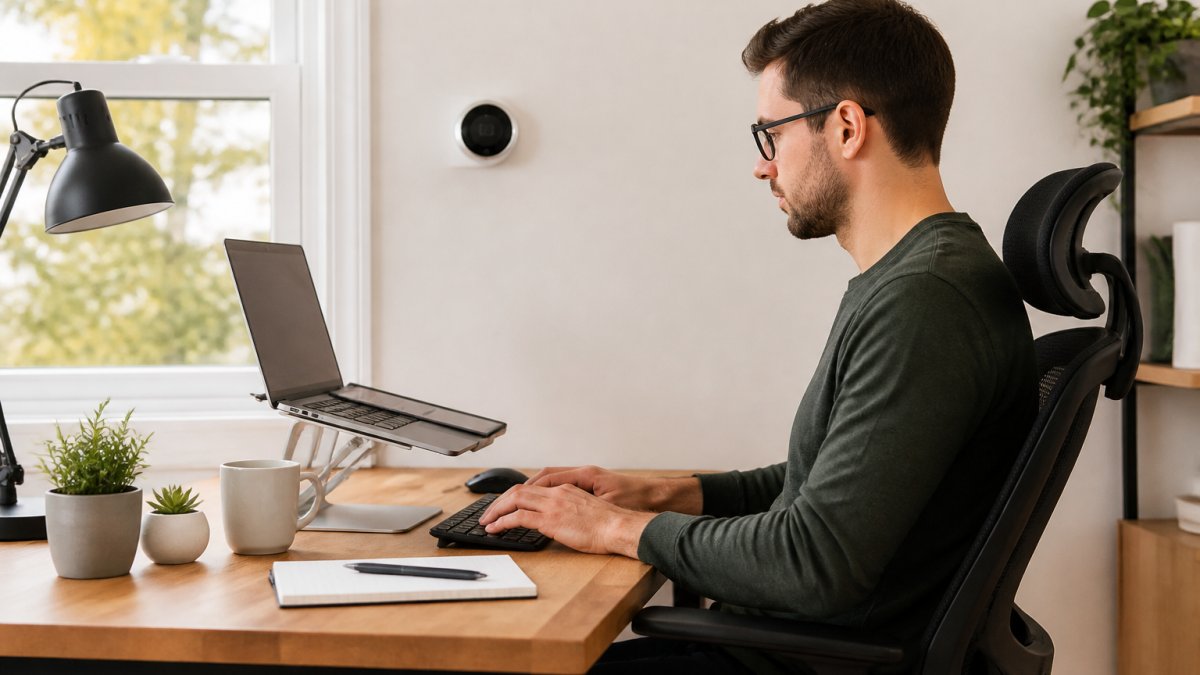
Pair the climate control with a workspace that supports long days. A 360° Rotation Laptop Stand lifts your screen to eye level and rotates a full 360°, and a Vertical Ergonomic Wireless Mouse keeps your hand in a more natural position during long sessions.


Smart Thermostat Scheduling for Hybrid Work Routines
Smart thermostat scheduling means programming temperature changes around your actual week rather than a fixed daily pattern. For hybrid workers, that means distinct profiles for office days, home days, and the unpredictable days in between, and knowing which features handle the switching.
Most guides treat every weekday the same. That is the mistake. The schedule should reflect three realities: when the office is occupied, when the rest of the house is occupied, and when nobody is home at all.
Build three profiles, not one
A practical hybrid setup uses separate profiles rather than one weekday schedule:
- Home day profile, office warm 30 minutes before your first call, rest of the house held lower during focus blocks, normal household settings restored before other occupants wake or return.
- Office day profile, house runs cool while empty, warms an hour before your expected return, then hands off to evening settings.
- Flex/unpredictable profile, a conservative baseline that avoids extreme setbacks, so a surprise home day does not mean a cold office at 9am.
Handle meetings and breaks explicitly
Meetings and breaks are where schedules usually break down. Two workable patterns:
- Meeting blocks: hold the office at a steady temperature for the duration of back-to-back calls rather than letting the system cycle down between them. A short setback during a 15-minute break saves little and costs comfort.
- Lunch and long breaks: a 45-60 minute setback is usually worth it in winter; in mild weather the savings are marginal and the recovery draft can be uncomfortable. Set the break rule by season, not by habit.
Use the right automation for the switch
Modern thermostats offer several ways to move between profiles, and they are not interchangeable:
- Manual profile switching in the app, reliable, but depends on you remembering.
- Geofencing, uses your phone's location to detect arrival and departure. Useful on office days, but it can misfire if you leave your phone at home or work from a different room.
- Calendar-linked scheduling, some models and integrations read your calendar to pre-warm before the first event. This is the closest match to a hybrid routine, but confirm the integration works with your calendar provider before relying on it.
- Learning algorithms, adapt over a few weeks, but they learn from what actually happens, including chaotic weeks.
A realistic hybrid week
| Day type | Morning | Midday | Evening |
|---|---|---|---|
| Home day | Office warm by 8am | Hold steady through calls; short lunch setback in winter | Normal household settings |
| Office day | Low heat, house empty | Low heat | Warm one hour before return |
| Flex day | Conservative baseline | Adjust manually if home | Normal settings |
| Weekend | Later start | Normal settings | Normal settings |
Learning thermostats adapt to household preferences over a few weeks, which helps when your week is unpredictable. Voice control makes switching profiles quick when plans change, but the schedule, not the voice command, is what saves energy day to day.
Remote Control and Monitoring From Your Phone
Remote access turns your phone into a thermostat panel: through an app you can check indoor temperature, change settings, and start heating or cooling before you get home, on any connected mobile device.
Connectivity matters here. A Wi-Fi thermostat works anywhere with internet, but if your home network drops, the app goes dark.
Monitoring goes beyond temperature. Many apps report energy use by day and hour, so you can see which blocks cost the most, data that turns guesswork into a real schedule.
Remote troubleshooting is the underrated feature. If the heating stops responding while you're travelling, the app flags the fault before you walk into a cold house.
When a Smart Thermostat Without Wi-Fi Is the Right Call
A smart thermostat without Wi-Fi is a programmable model that runs its schedule on the device itself, with no app and no cloud account. For some households that is the better buy, and for remote workers, the trade-off deserves a closer look.
360° Rotation Laptop Stand | Adjustable Foldable Metal Riser, 10-17" →
Privacy and cybersecurity: what connected models actually collect
Connected thermostats are not just temperature sensors. Depending on the model and app, they may collect:
- Occupancy signals, from motion sensors, geofencing, or phone location.
- Usage patterns, when heating and cooling run, and at what setpoints.
- Account and location data, tied to the app, the cloud account, and sometimes third-party integrations.
That data powers learning and remote control, but it also makes your workday rhythm visible to the manufacturer and anyone who gains account access. Practical precautions:
- Use a unique password and enable two-factor authentication on the thermostat account.
- Review app permissions, location access is often required for geofencing but not for basic scheduling.
- Check whether the manufacturer allows local-only control or a guest account for other household members.
- Treat the thermostat like any other connected device: keep firmware updated and remove old accounts when you move.
A non-connected model collects nothing and cannot be breached remotely. If you rent, or you don't want another account tied to your home, that trade-off is worth taking.
Connectivity limitations: what happens when the internet drops
This is the distinction most guides blur. Remote access and automatic scheduling are different things:
- Remote access, the app on your phone, depends on Wi-Fi at home and a working cloud connection. If the router fails, the app goes dark.
- Local scheduling, the schedule stored on the device, usually keeps running when the internet is down, because it does not need the cloud.
So the practical question before you buy is not "does it have Wi-Fi?" but "does it keep its schedule running locally when the internet is down?" Confirm that in the manual or spec sheet.
Power outages are a separate case. Most thermostats retain their schedule through a brief outage, but a long outage can reset settings. Check whether the model stores the schedule in non-volatile memory.
Rural areas with patchy internet make app-based control frustrating, and older HVAC systems may not support the wiring a connected model needs. A local-only thermostat sidesteps both problems.
What you give up, and what you keep
What you give up with a non-connected model is remote access, learning features, and app-based energy reports. What you keep is scheduling, automation, and lower energy use. For a small home office with a predictable routine, that is often enough, and it removes the account, the app, and the data collection entirely.
Smart Thermostat Compatibility: What to Check Before You Buy
Smart thermostat compatibility comes down to three things: your HVAC system's wiring, your home's network, and the voltage your system uses.
Start with the wiring. Most thermostats need a C-wire, a common wire that powers the display.
Then confirm the system type. Heat pumps, multi-stage systems, and zoned setups each need matching support.
Finally, check the network. If you want remote access, confirm the thermostat supports your Wi-Fi band and that your router reaches the hallway.
A quick pre-purchase checklist:
- Photograph existing thermostat wiring
- Confirm C-wire presence or adapter need
- Note your HVAC system type and stages
- Check Wi-Fi signal strength at the install spot
- Confirm app support for your phone
- Read the return window before installing
Set up the workspace around the thermostat while you're at it. A 3-Tier Desk Organizer keeps cables and paperwork off the desk, and a 30W Foldable 3-in-1 Wireless Charger keeps your phone and watch topped up so the thermostat app is always within reach.

For broader guidance on connected home devices, the U.S.
The hardware is only half the job with any smart thermostat. The schedule, the room placement, and the workspace around it decide whether you actually feel the difference.
Frequently Asked Questions
How can smart thermostats help when you work from home?
Smart thermostats help remote workers by heating or cooling the rooms you actually use during work hours instead of running the system on a fixed timer all day. You can set a workday schedule, adjust the temperature from your phone before a meeting, and let the thermostat drop back when you step out. The result is a more consistent indoor temperature in your workspace and less energy spent conditioning empty rooms.
Do you need Wi-Fi for a smart thermostat to work?
No. A smart thermostat without Wi-Fi still handles programmable schedules, learning routines, and local temperature control at the unit itself. What you lose is remote access from a smartphone app or computer, plus features like remote troubleshooting and smart-home integration. If your home network is unreliable or you would rather not connect appliances to the internet, a non-Wi-Fi model covers the basics well.
Can a smart thermostat follow a work-from-home schedule?
Yes. Smart thermostat scheduling lets you create separate blocks for office days, hybrid days, and days away. Set a comfortable temperature for your work hours, a lower or higher setback while the room is empty, and let automation handle the transitions. Many models also learn your routine over time, so the schedule adjusts to when you are actually home rather than when you planned to be.
What should remote workers check before buying a smart thermostat?
Start with smart thermostat compatibility: confirm your HVAC system type, wiring, and voltage match the model's requirements, and check whether a common wire is needed. Then look at scheduling options, app quality, and whether you want Wi-Fi or a local-only setup. If your workspace is in a single room, a room sensor or zoned comfort support matters more than a long feature list.